
Hand-lettering on 9"x12" Bristol board. Scanned and colored. Minimal cleanup in Photoshop.
'You Missed Your Numbers!' [Illustration]
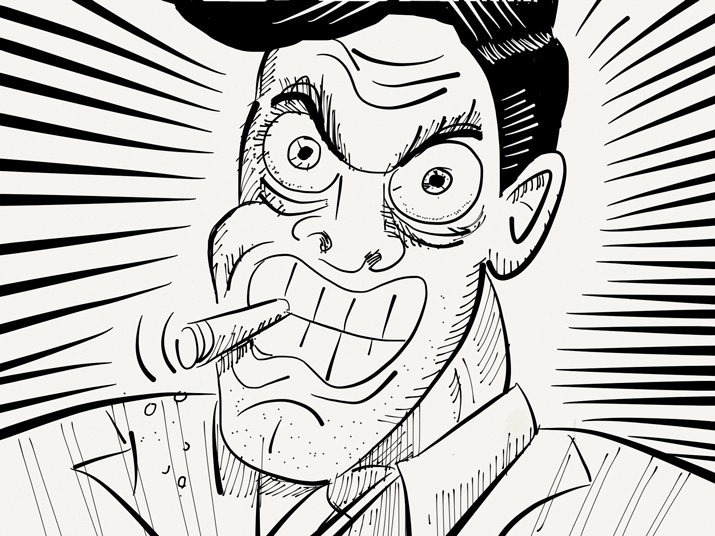
An illustration created with the 'Paper' app on iPad. I used the Fountain Pen brush for the main strokes, then used the Magic marker and Pencil brushes for some detail work. I used a More/Real Sharpie stylus cap, which gives a more natural drawing feel.
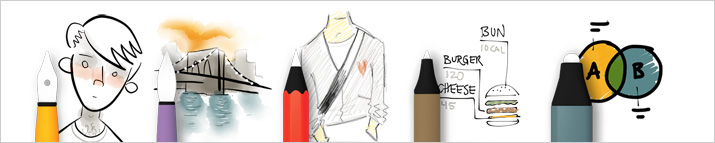
The Five Basic Tools of 'Paper'
I fell in love with the 'Paper' app when it was first released. It's a very stripped down, simple app. You have a simple set of 5 tools and a basic, muted color palette. That's it. The tools are in a handy 'drawer' that slides down, out of your way, to let you get down to business. You can organize your drawing in 'notebooks' that mimic Moleskine journals. You can add/delete pages and move them from one journal to the other. The best part (for me) is the ability to share drawings via email, Tumblr or Twitter, or just save to Camera Roll.
'Paper' is great for loose illustrations and diagrams. It has no layers, filters, import or color correction and you can't change the color palette. But that's kind of the point - keep the tools out of the way and get your ideas on paper. If you're looking for something more robust for the iPad, I'd suggest Procreate.
STOP! Daddy's Working

stop-daddy-is-working
The amazing crew at United Pixelworkers keep churning out fantastic t-shirt designs. I love just about everything they put out (and have the shirt collection to prove it), but the set they just released really hit a note with me. The new set is called Daddy's Working/Mommy's Working, a tribute to the work from home moms n' dads just trying to get some shit done.
Back in '99 when I went out on my own I had a lil' 2 year old bouncing around the house. I was very fortunate to have family to take care of the little guy, but not every single day. On those days I was home with him, let's just say the only real work that got done was early in the morning, during naptime or late at night. Obviously, it got easier as he got older, but not for what felt like a very long time. Then he started preschool, kindergarden, elementary school and only then did I have what felt like a normal schedule.
I gave up a lot to be the stay at home dad, but I wouldn't trade one second of it for a regular j-o-b or even a full-time babysitter. Yes, there were many trying moments, but I was blessed with a pretty mellow kid (OhDearLordJeebusThankyouThankyouThankyou). We had some fun times together, but of course he has no recollection of it (good thing I took pictures to prove it).
Seeing this shirt just brought it all back for me. Moms and Dads can go score one of these sweet tees at United Pixelworkers. Shirt designed by Paul Armstrong, who seems like a pretty cool dad himself.
'San Francisco' Script Lettering
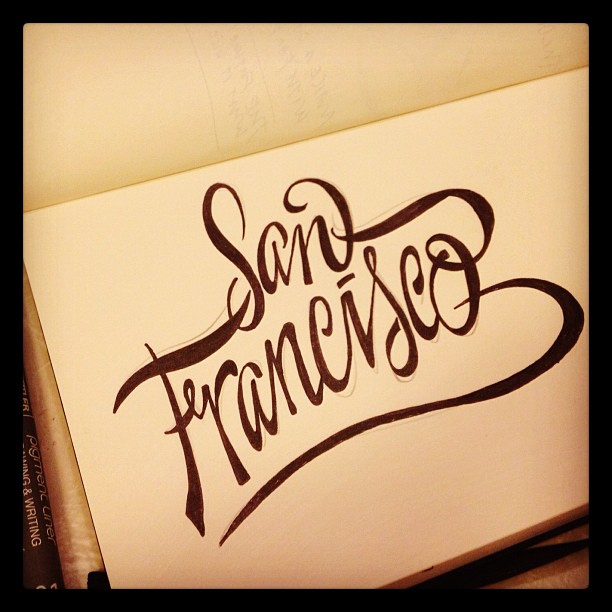
john suder san francisco hand lettering
Thinking about travel destinations. A quick sketch done in my Moleskine 5.25" x 8.25" unlined sketch book. Inked with Staedtler 01 and 07 pigment inks.
'Fearless' Hand-Lettered Logo
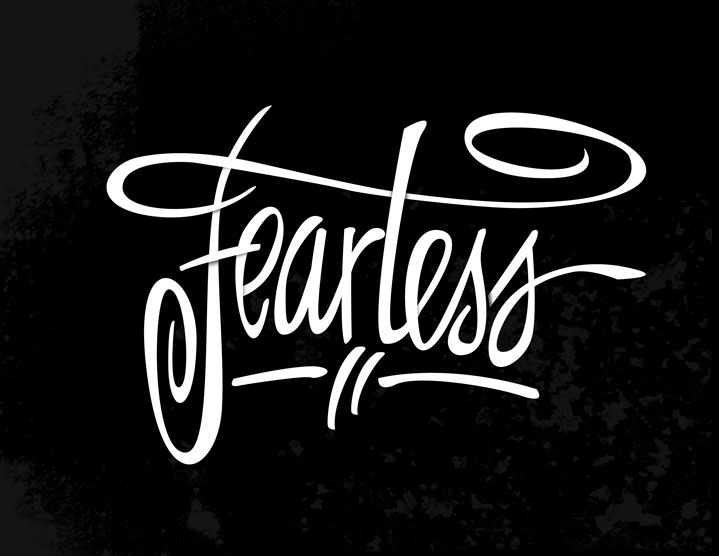
Fearless-with-Shadows
Hand-lettered on vellum paper, scanned then redrawn in Illustrator. Shadows and background texture created in Photoshop.
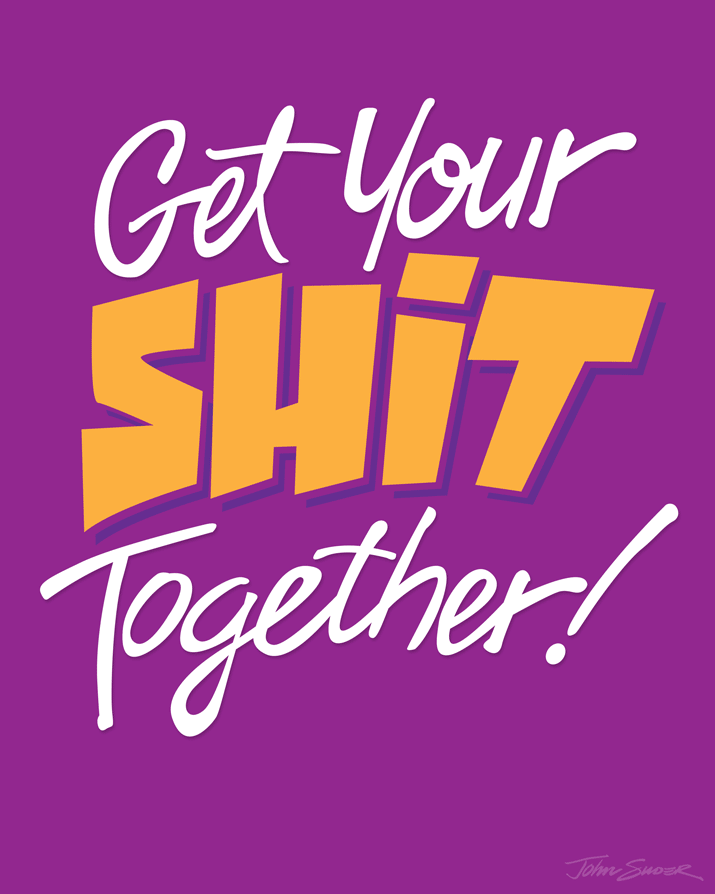
Get Your Shit Together!
get-your-shit-toegtehr-8x10
Today was one of those days where I felt a bit...unsettled. There was no obvious root cause, and (knock on wood) there's nothing too earth-shattering occurring in my life right now. All in all, compared to what I went through a few years back (cancer diagnosis combined with economic chaos), things are downright peachy on this end. But as of late, I've felt this internal nagging to 'tighten things up'.
I should recognize that I usually get this feeling when the seasons change. This is especially true as we transition from August (everyone is either on vacation or mentally checked out) to September (back to school, back to work).
So, as I'm sketching this morning, the mantra 'GET YOUR SHIT TOGETHER' entered my brain. The sketch was done quickly. I spent the rest of the day GMST (Getting My Shit Together®) and then revisited it tonight with this tracing in Illustrator.
'Make Excuses or Make Money' Lettering Study

john-suder-make-money-or-excuses-8x10
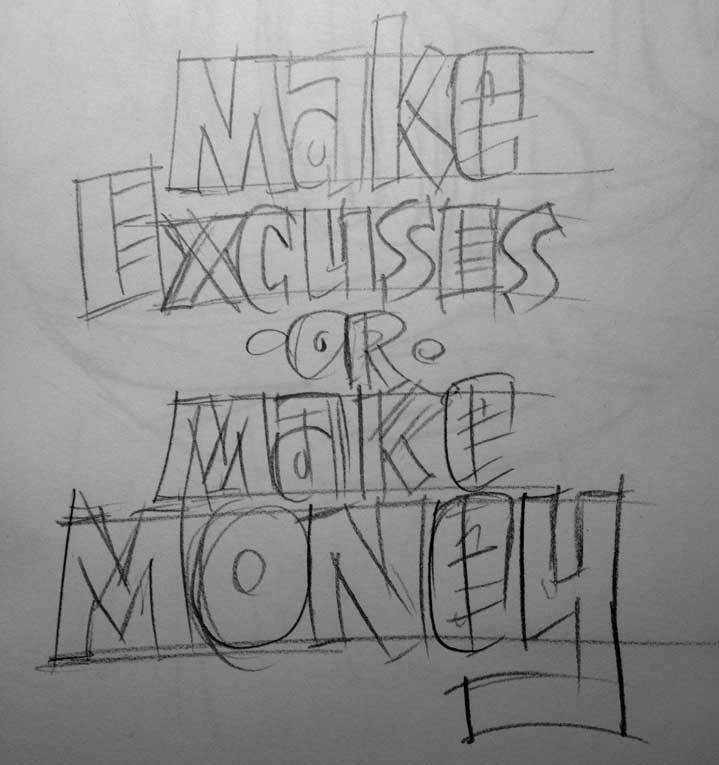
Another lettering project with a phrase captured in the sketchbook from an unknown source. I'm sure this phrase was born from some podcast or book or blog post dealing with time management or procrastination and I felt the need to capture it, because it's so spot-on. Making excuses just takes away from time you could be doing. There is no try, only do. I sketched the letters quickly with a loose set of characters, then took a photo of the sketch. This saves tons of time when your're tracing the sketch in Illustrator and not cleaning up lines in Photoshop.
john-suder-make-money-skecth
I shot the sketch at my drawing table with my iPhone, and since I had Photo Stream turned on, the sketch was already in iPhoto when I was ready to start tracing. I simply pulled the photo from iPhoto into Photoshop, cropped and resized (to make the file smaller) and then dropped the photo into Illustrator. I locked the photo onto it's own layer, set up a new layer for lines and begin tracing.
Since I used a very loose (and not very detailed) style of lettering, the tracing went very quickly. I only made a few modifications from the original sketch, capitalizing the letter 'A' throughout and the 'E' in 'Money'. I colored the letters in Illustrator until I got just the right color combo. This color selection was pretty much arbitrary, but I liked it. Obvious choices of shades of green just weren't working for me.
I then dragged the grouped letters into Photoshop as a Smart Object. This way I can compose a high resolution file and backgorund in Photoshop and then export to whatever size I need. I also still have the separate file of the the traced letters to repurpose or use on another size document.
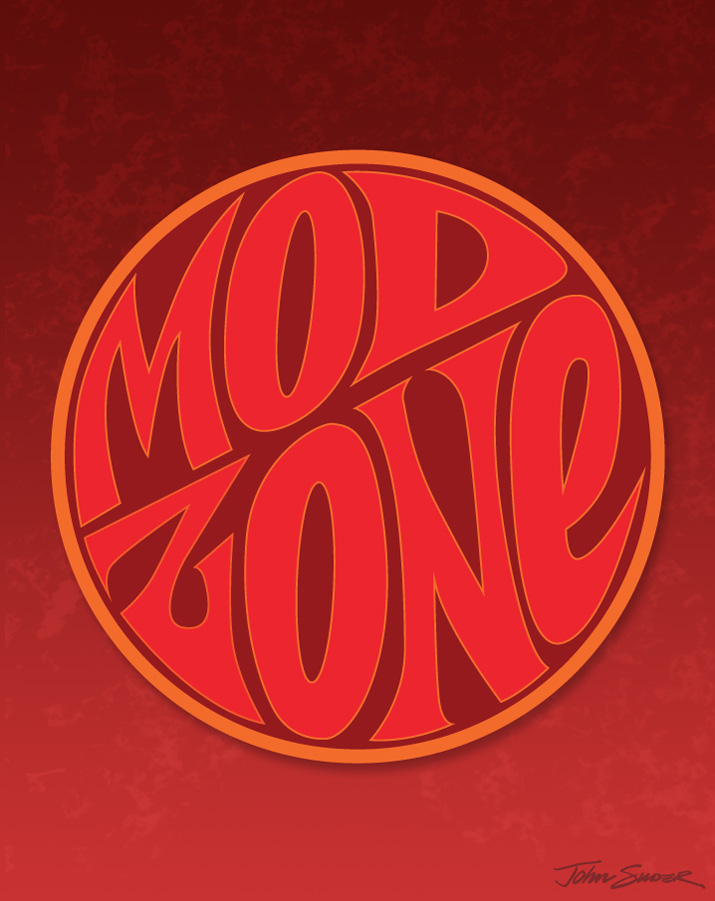
'Mod Zone' Lettering Study
MOD-ZONE-715x905
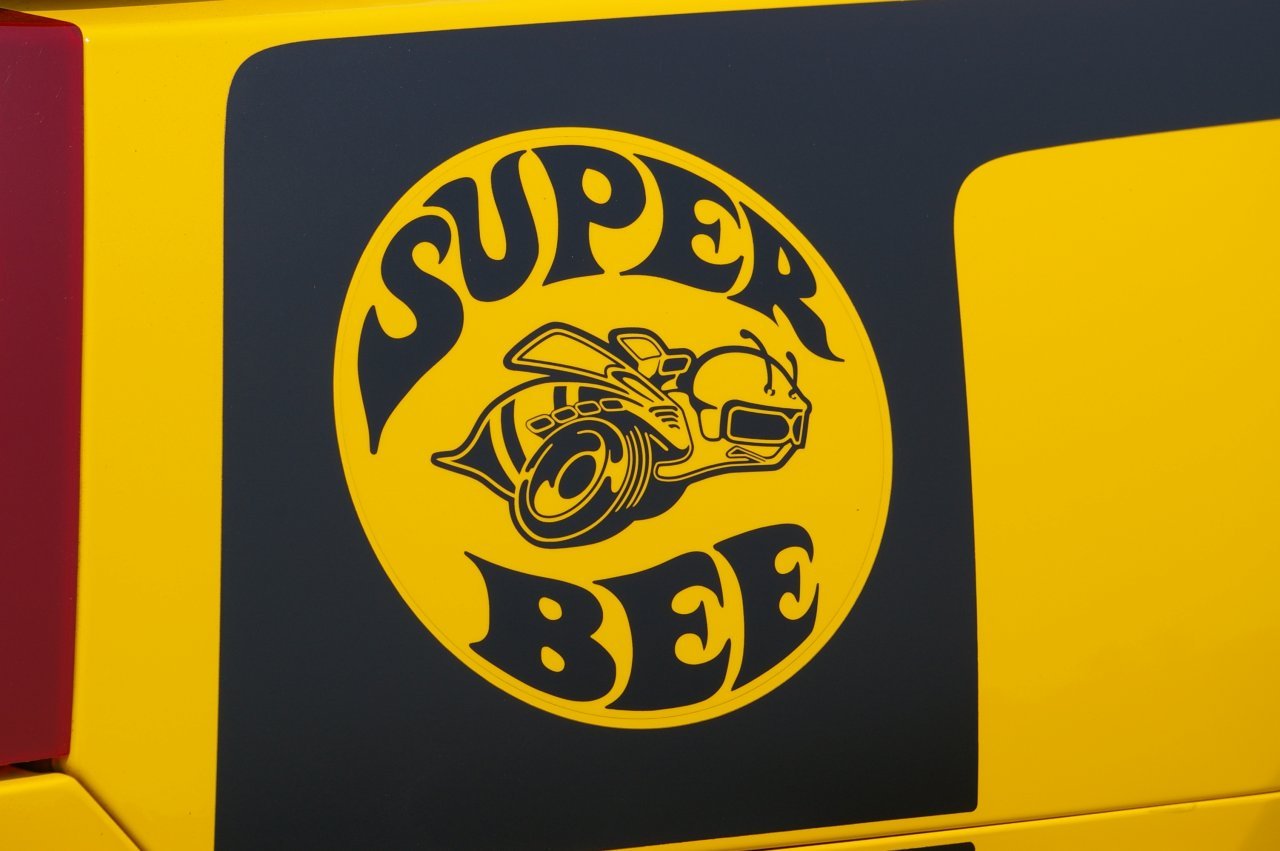
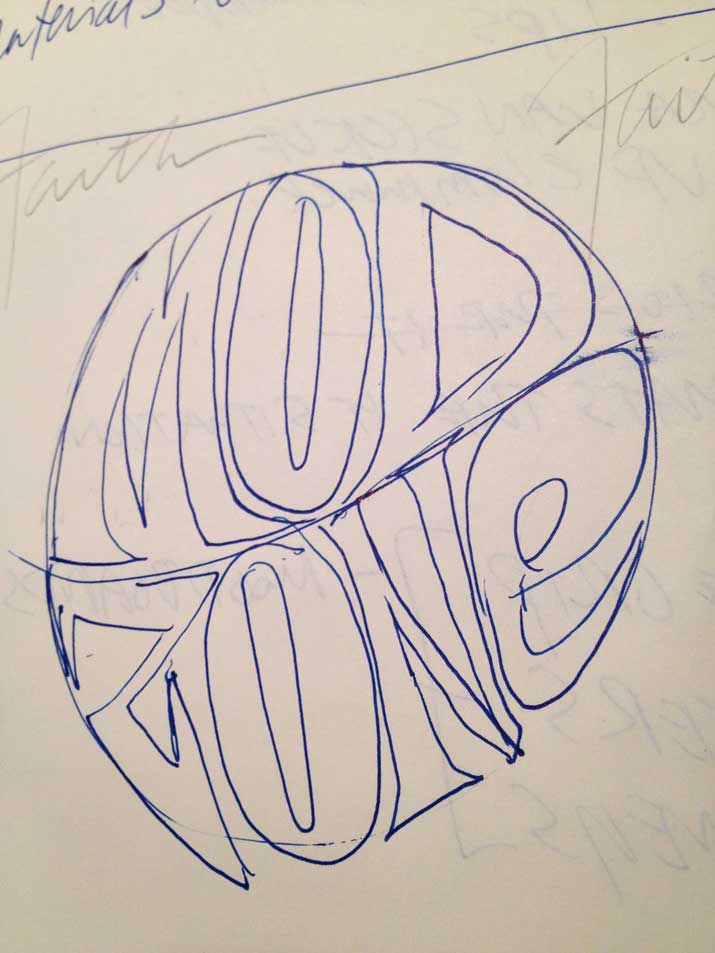
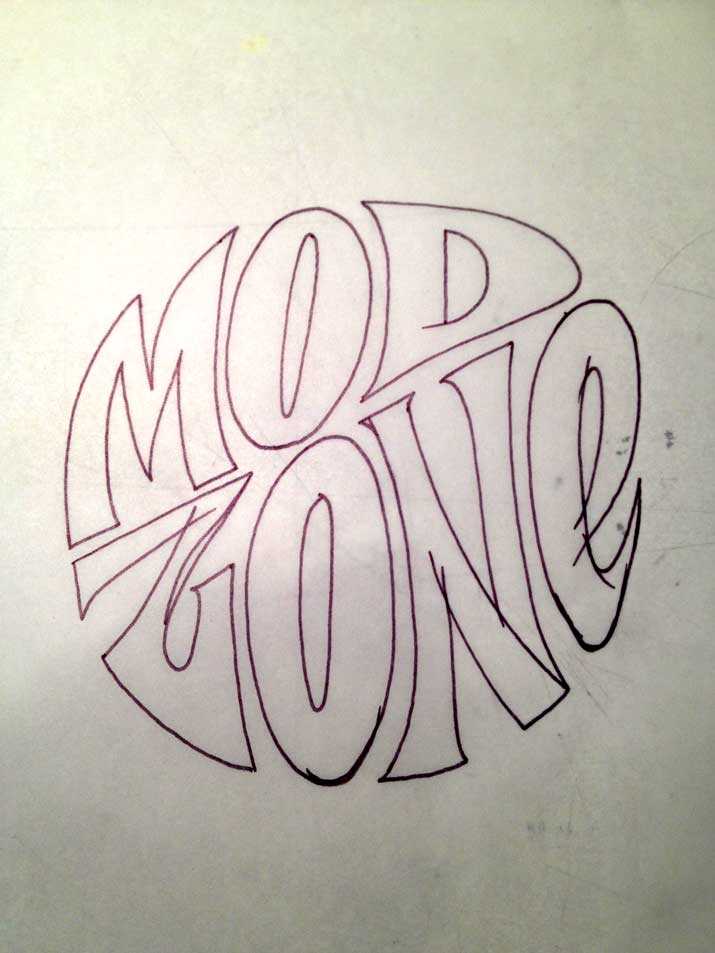
The phrase 'Mod Zone' somehow made it into my sketchbook a few weeks ago. I thought at first the influence was from the old Dodge 'Super Bee' logo, but the only things similar are the curved letterforms within a circle:
ag_07superbee_beedecal
mod-zone-sketch
mod-zone-ink
I made a quick inking of the letters, then scanned them into Photoshop. I didn't spend much time on cleanup, since I knew I was just going to trace the scan in Illustrator. Once the letter outlines were complete, I placed them within the circle, then adjusted the shapes of the letters to conform to the outline of the circle. As for colors, this selection was random. I didn't want to get too hung up on gradients and textures, but rather focus on the shapes of the letters.
Once the lettering was complete in Illustrator, I opened up a doc in Photoshop, created the background and added a subtle texture. I dropped the lettering in as a smart object, resized, added a slight shadow, and called it a day. I could have spent a lot more time tweaking, but I'm thinking I'd rather just crank out a bunch of these studies to work on technique.
Meh.

johnsuder-meh-thought-balloon
Today's drawing: Waving my apathy flag proudly. Hand-lettered. Yawn. You probably don't care, but prints are available at Society6. Buy some. Or not. Whatever.
Lettering Portfolio of Pablo Delkan
A short video by artist Pablo Delkan showcasing his hand lettering. Beautiful work.
[via Kottke]
RIP MCA Adam Yauch
Thanks for the music, it was a huge part of my life. Cancer takes another one too young, too soon.
Peace, brother.

mcabeastieboy
Release
Seeburg Jukebox detail.Molly's Books and Records, 9th Street Italian Market.

Angry Boy, South Street
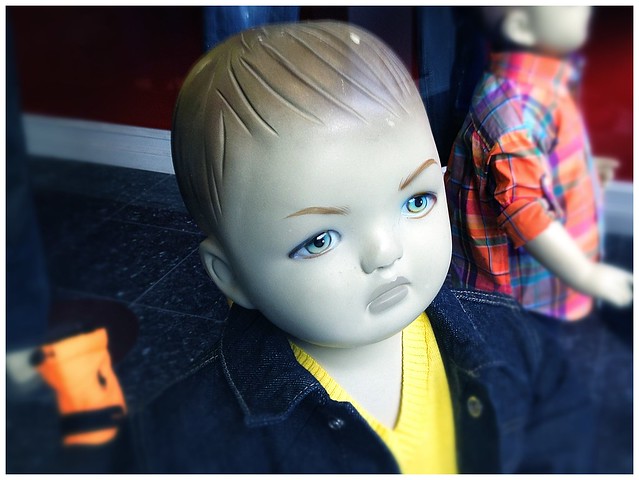
I captured this photo from a storefront on South Street. The window was full of these angry boy mannequins.
Camera: iPhone 4s / Processed with Snapseed desktop app.
Sorry, Bud: No Buds Here

The sign outside the Wishing Well on 9th Street. Hopefully it keeps the riff-raff out.
Sneak Peek: New Project Launch

100-sneak-peek
Preview of a new personal project launching soon.
Drop the Spoon and Step Away From the Sugar
 There's sugar (or it's evil cousin high fructose corn syrup) in just about everything you buy in a store. It's amazing how much sugar you see yourself taking in once you start to pay attention.
I've been trying hard to fight the sugar beast. I've (almost) completely cut out soda and have cut way back on drinks like store-bought iced tea. This wasn't difficult – I 've always loved drinking water, now I just drink more. The hard part is that sugar in my morning/late morning/early afternoon coffee. Even if I use just a half-teaspoon or less, it really adds up. Artificial sweeteners are a no-go.
So now I'm trying sugar replacements like Truvia and Agave in the Raw. Truvia (made form the Stevia plant) is a great substitute – but can get really pricey (I'd rather spend the extra bucks on some good K-cups!). A friend turned me on to Agave in the raw as a sugar substitute. It's thick, so you can use it in place of honey (great in hot tea) or syrup (on waffles). It's also great for baking. But I actually like it in coffee. I'm particularly found fo a darker roast, which can be bitter, and the Agave cuts right through it, almost mellows it out. The best part is you don't need a lot – just a real quick squirt from the bottle and you're good to go.
I haven't compared the calories, so I'm not sure if I'm cutting off my nose to spite my face, but hey, one thing at a time.
Moar Please

swugs-moar-please
This giant creature you see here is our cat Swugs. His original name was 'Swuggles' picked by my then 2-year old son who couldn't say the word 'Snuggles' properly. Needless to say, we all just call him 'Swugs', or 'Mr. Swugs' (because it's his house, he just lets us live in it).
He's about 12. Still gets around pretty well, although he's become a real fat slob in the last few years. I'm guessing he's a happy cat, because he purrs loud enough to wake up the house. The funniest thing about this cat (and the reason for the photo) is that at around age nine, he suddenly realized that he could come to the table and beg for food while we ate. We didn't have a dog at the time, so I'm guessing he just figured it out. He'll nudge your arm, take his paw and tap you with a "Hey buddy, how 'bout some down here?". I generally don't oblige him, except when we have peas or eggs.
This cat loves him some peas.
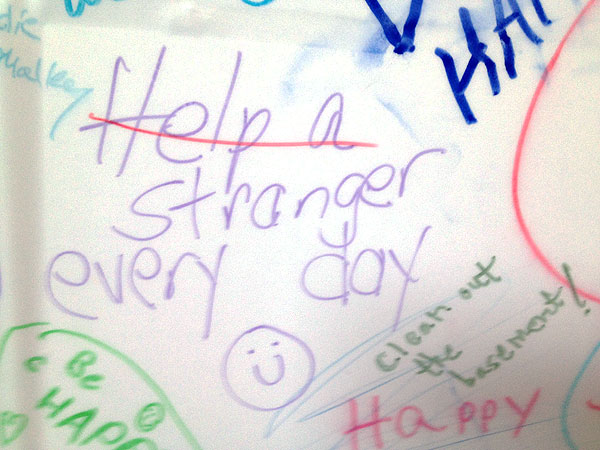
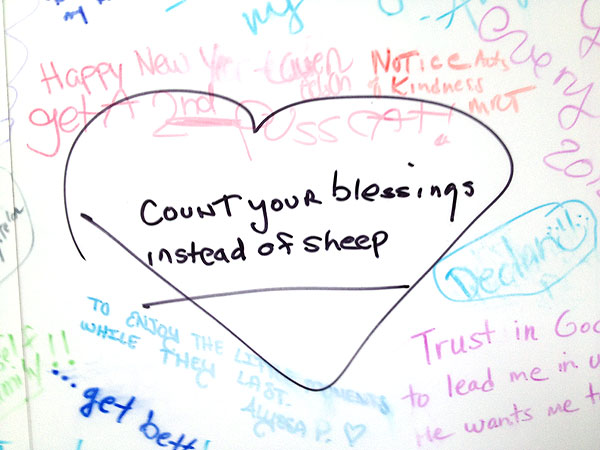
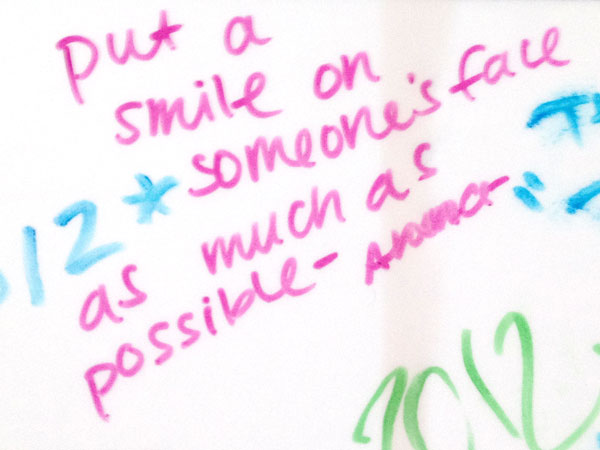
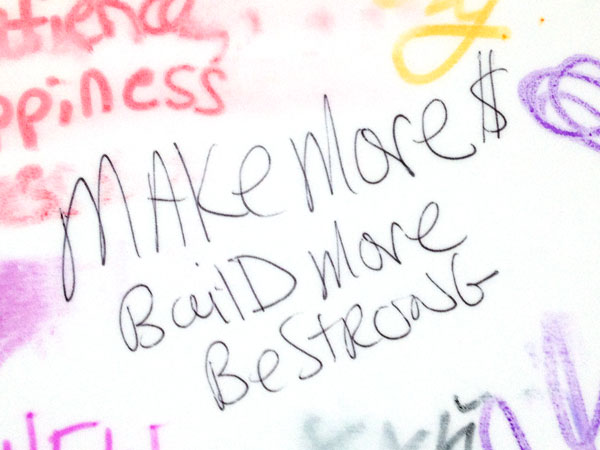
The Kimmel Center 2012 Resolution Wall
kimmel-resolution-board-1
kimmel-resolution-board-2
kimmel-resolution-board-3
kimmel-resolution-board-4
kimmel-resolution-board-5
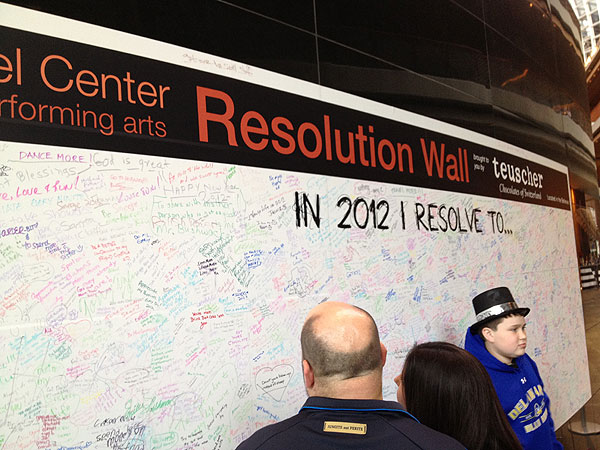
Each year on New Year's Day, the Kimmel Center for the Performing Arts opens its doors to the public with an indoor New Years Celebration. One interesting thing they do is set up a 'Resolution Wall' near the entrance on the curved wall to the left. It's basically a huge dry erase board and they provide markers for you to go and add your own resolution. Below are a few that I captured.
Camera: iPhone 4S | Processed in Photoshop CS5
Pork and Prosperity for 2012: Pork, Apples and Sauerkraut
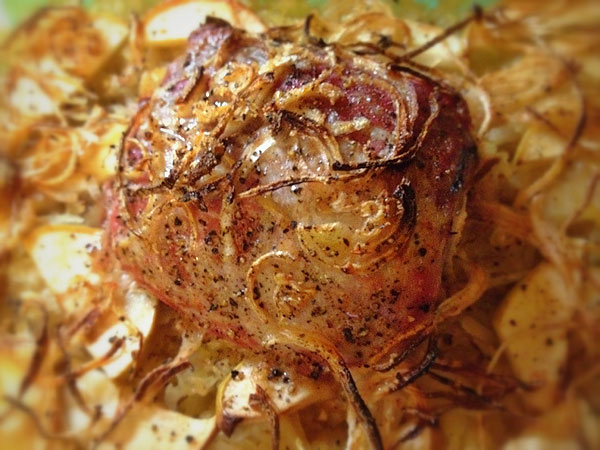
pork-and-prosperity-2012
In my family we always had the traditional Pork and Sauerkraut on New Year's Day for good luck. The reason Pork is traditionally served on New Years is that the pork is rich in fat and symbolizes wealth and prosperity. Also, superstition states that you should serve Pork because the Pig always digs forward (as opposed to the Chicken, which scratches backward).
I'm sure my relatives weren't aware of the reasons, they just did it as part of our heritage. And they liked their Pork.
I was never big on the pork n' sauerkraut (unless you count a hotdog at a ballgame), until I discovered this recipe a few years ago and have been making a modified version of it on New Year's Day ever since. Above is a picture of the lil' beauty I made last night using a small pork loin.
Here's a simplified version of the recipe:
New Year's Day Pork, Apples and Sauerkraut
Ingredients:
- Pork Tenderloin (or chops)
- Bag of Sauerkraut
- 1 Cup Apple Juioce
- 1-2 Apples (Any apple will work but Granny Smith's are the best)
- 1 Onion
- Brown Sugar (to taste)
- Salt and Pepper to taste
- Take a bag of sauerkraut, drain and rinse it (this lowers the salt content – but don't rinse more than once or you'll begin to lose the flavor).
- Line a 9" x 12" (approx.) dish with the kraut, then add a cup of Apple Juice. Sprinkle some caraway seeds (optional).
- Lay the pork loin (or chops) on top of the sauerkraut.
- Add thinly sliced apples (about 1-2, any old apple will do, but Granny Smiths are best)
- Add a layer of thinly sliced onions. (Use a mandolin slicer if you have one – the thinner the better, since they'll crisp up at the end. Make sure you add onions to the top of the meat.)
- Sprinkle brown sugar, salt and pepper to taste.
- Cook at 350 degrees for about an hour or until the internal temp. is about 145 and the top layer of onions and apples are crisp to your liking.
- Remove the meat, let it rest for about 5 minutes.
- Slice, serve, enjoy, prosper.
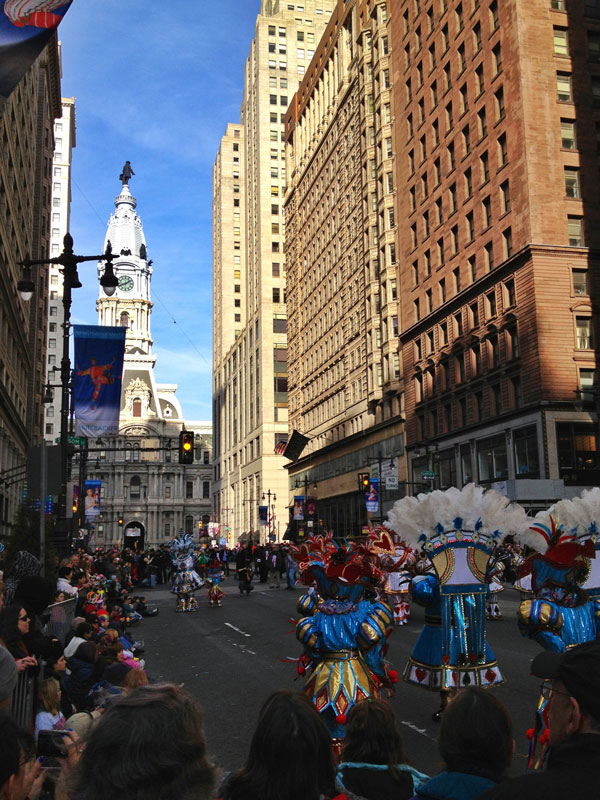
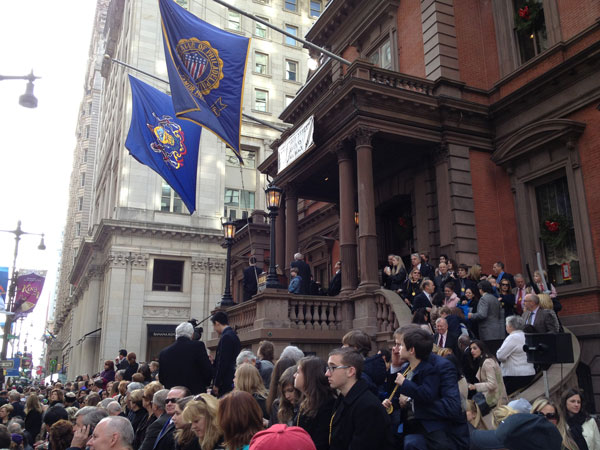
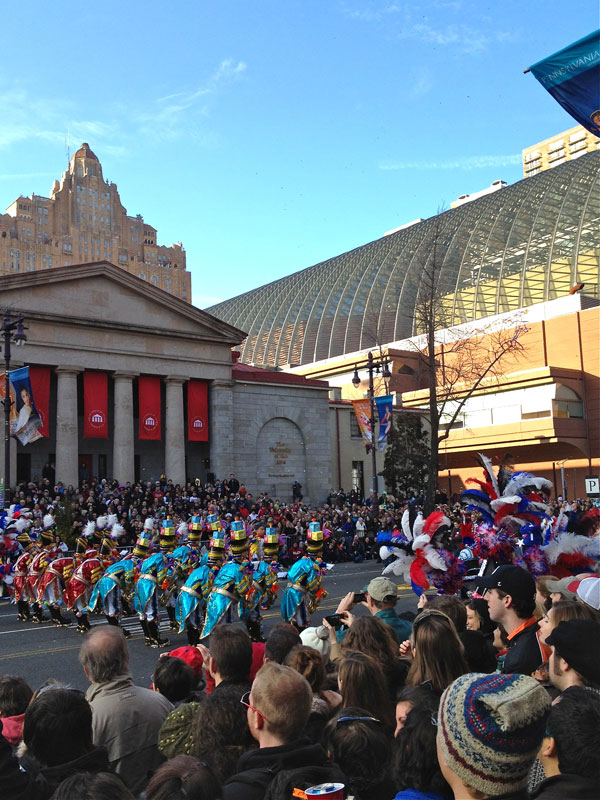
The 2012 Mummers Parade
It was a beauty of a day on Broad Street where we watched the 2012 Mummers Parade. The sun was out and it was a balmy 50-something degrees. It was also a great day for people watching – everyone was in 'fine form' due to weather and the fact that mostly everyone had off the next day.We stuck around until around 5pm. Finding a place to eat near Broad was next to impossible and as it got dark, the crowd started to change to a more drunken/aggressive variety.
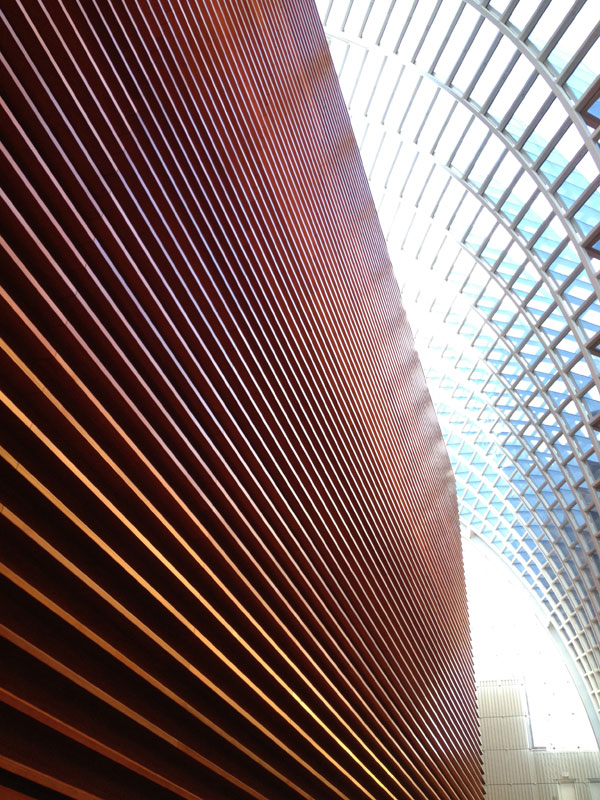
Parade Watcher Pro-Tip: If you're watching the parade on Broad anywhere near Spruce, head to the Kimmel Center – they open their doors to the public and have live performances and plenty to eat. And lots of clean bathrooms, which are hard to find on parade day. You can also go upstairs and check out the parade from the second and third floors (great if the weather is bad or if you've got a kid or three in tow).
Camera: iPhone 4s | Processed with Snapseed App (top photo only) and iPhoto (remaining photos)